Comcast vs. Ubiquiti vs. Meraki: Which Network Is Right for Your Home?
In today’s connected homes, the quality of your network matters just as much as the devices you put on it. Between streaming, remote work, smart-home automation, cameras, and high-speed internet plans, homeowners often ask us the same question:
“What’s the real difference between using my ISP’s router, going with Ubiquiti, or upgrading to Cisco Meraki?”
As a smart-home integrator, we design networks that match the needs of the home, not just believing a spec sheet printed on a modem. Below is a simple comparison to help you understand how these three options stack up to help you determine what is best for your home and needs.
Comcast (or other ISP-Provided Equipment)
Comcast’s all-in-one gateways are built for convenience. They’re designed for quick setup, basic Wi-Fi, and plans offering download speeds up to 2 Gbps. For smaller homes or light internet use, these gateways get the job done with minimal effort.
Where they fall short is performance and customization. Coverage is limited, control is minimal, and stability can dip in homes with many connected devices. For smart-home environments with automation systems, cameras, and streaming happening in every room, Comcast gear can quickly hit its limits.
Strengths:
- Simple, plug-and-play setup
- Supports up to ~2 Gbps plans
- Basic app controls
Limitations:
- Limited Wi-Fi coverage
- Minimal customization
- Not ideal for smart-home heavy environments
Ideal Home:
- Small apartments or condos, light internet use, few smart devices
Ubiquiti (Prosumer / Mid-Tier Networking)
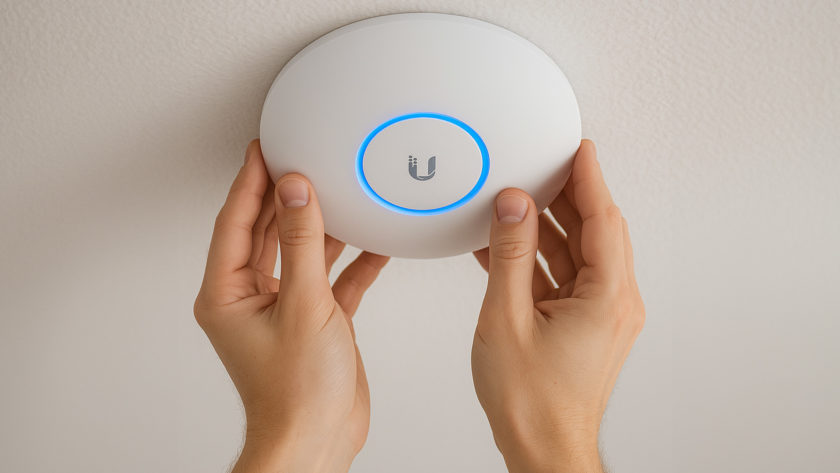
Ubiquiti occupies a sweet spot between affordability and professional-grade performance. Their access points offer noticeably stronger Wi-Fi coverage, often 300–400 ft per AP in ideal conditions, and can comfortably support hundreds of devices. That means fewer dead zones and more reliability, even during heavy use.
Ubiquiti systems are scalable, customizable, and cost-effective because they don’t require ongoing licensing fees. For many homeowners who want great Wi-Fi performance without investing in enterprise-level hardware, Ubiquiti hits the mark.
Strengths:
- ~300–400 ft Wi-Fi range per access point
- Handles hundreds of devices
- No licensing fees
- Scalable: easy to add more APs or switches
Limitations:
- Requires professional setup for best results
- Fewer enterprise-level security features than Meraki
Ideal Home:
- Medium–large homes, families with many devices, homes with smart-home systems
Cisco Meraki (Enterprise-Grade Networking)
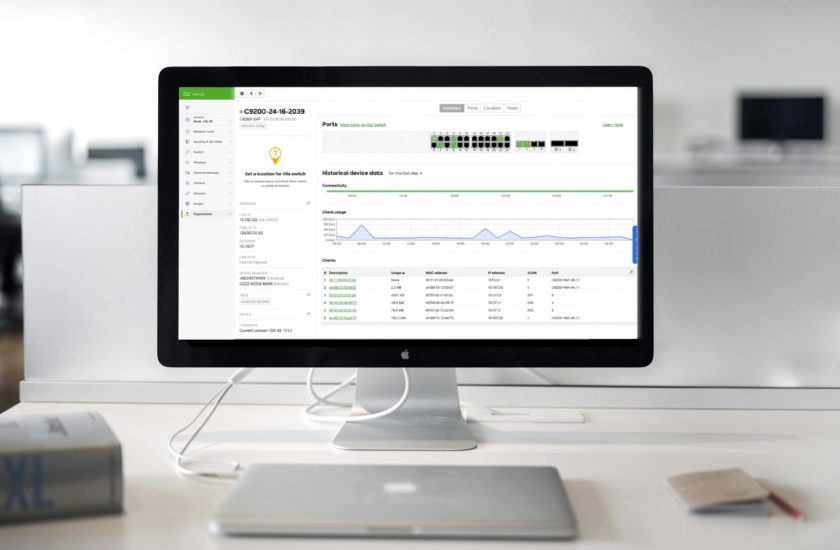
Meraki is the premium networking solution we recommend for clients who need absolute reliability, advanced protection, and complete visibility into their home’s digital ecosystem. Built on enterprise-grade hardware (we use it with the Boston Celtics and our clients with the highest security needs), Meraki access points process traffic at the device level, enabling features like deep packet inspection, intelligent traffic shaping, and automatic threat detection. For clients who are running their businesses from home, or whose own assets are more than most small businesses, Cisco Meraki brings the power and security of a business-class WiFi system into your home.
We specify Cisco Meraki for clients whose homes demand the same level of rigor as a commercial or institutional environment where uptime matters, security is intentional, and the network is expected to perform flawlessly without constant attention.
Meraki is for clients who prefer infrastructure that is engineered, monitored, and continuously hardened in the background, and who value long-term resilience over short-term cost. When the network is critical to how a home functions, Meraki becomes the right tool for the job.
For UHNW clients, the biggest benefit is security and control. Meraki’s system provides:
- Layer 7 intrusion detection and prevention (more on this below)
- Advanced malware protection and content filtering
- Real-time analytics showing exactly what devices are on the network and how they’re behaving
- Per-device and per-application policies for fine-grained control
- Automatic security updates delivered through the cloud
All of this is managed through a secure, private dashboard that homeowners can access themselves, offering complete oversight of their network without relying on a third party. For clients who value privacy, security, and digital resilience, this is a powerful advantage. Many of our clients prefer to let us manage their network, and feel more comfortable having a dashboard both parties can view, unlike other solutions where only the one managing the network has a glimpse into traffic and security.
Meraki does require an active subscription license, which covers cloud management, continuous security updates, and enterprise-level support. This support extends beyond just simple troubleshooting. It also includes no-cost replacement of devices for the duration of the license, which is often 5-10 years, not the standard 1-year offering provided by most manufacturers. For larger homes, complex smart-home systems, or clients who want a “set it and forget it” network with professional-level cybersecurity, Meraki stands in a league of its own.
Strengths:
- Advanced traffic management & security
- Cloud dashboard with detailed analytics
- Enterprise-grade stability under heavy load
- Best option for large smart homes
Limitations:
- Requires an ongoing subscription license
- Higher upfront cost
Ideal Home:
- Luxury residences, complex smart homes, or clients who have high security needs
What Is Layer 7 Intrusion Detection & Prevention?Layer 7 is the Application Layer of a network. It’s the level where your system understands what the traffic actually is, not just where it’s going. Instead of seeing “a device sent data,” Layer 7 can identify things like Netflix streams, Zoom calls, smart-camera uploads, or suspicious traffic trying to mask itself as something safe. Why it matters:
For high-security environments, especially luxury residences with extensive smart-home systems, Layer 7 protection provides enterprise-level defense with real-time awareness and control. |
Which One Is Right for Your Home?
- Just need basic internet for your apartment or condo? Comcast’s equipment can handle simple households.
- Want strong performance without enterprise pricing? Ubiquiti is a fantastic middle-ground.
- Need the most reliable, secure, and scalable network? Cisco Meraki delivers best-in-class results.
At TSP Smart Spaces, we design networks around real-world needs including coverage, stability, security, and future expansion. If you’re unsure which system fits your home, we’re happy to walk you through the options and design a solution that truly supports your lifestyle.